


In the digital economy, devices, employees and software applications are network endpoints participating in business operations. BI-agent.net is a business tool that provides network layer monitoring, traffic event notification and independent network metadata for endpoint visualization, troubleshooting performance issues and AI transformation. Engineered for simplicity, BI-agent.net is easy to setup in the Cloud and on-prem. Below are sample of use cases:
- independent metadata for reporting and AI transformation in telecom, NG911 and more
- around-the-clock network monitoring of Internet, LAN, SIP-trunk, AWS and Google Cloud
- omnichannel network traffic analytics for contact center quality management
- network endpoint visualization using multi-dimensional network telemetries
- real-time network traffic event notification using SMS and API
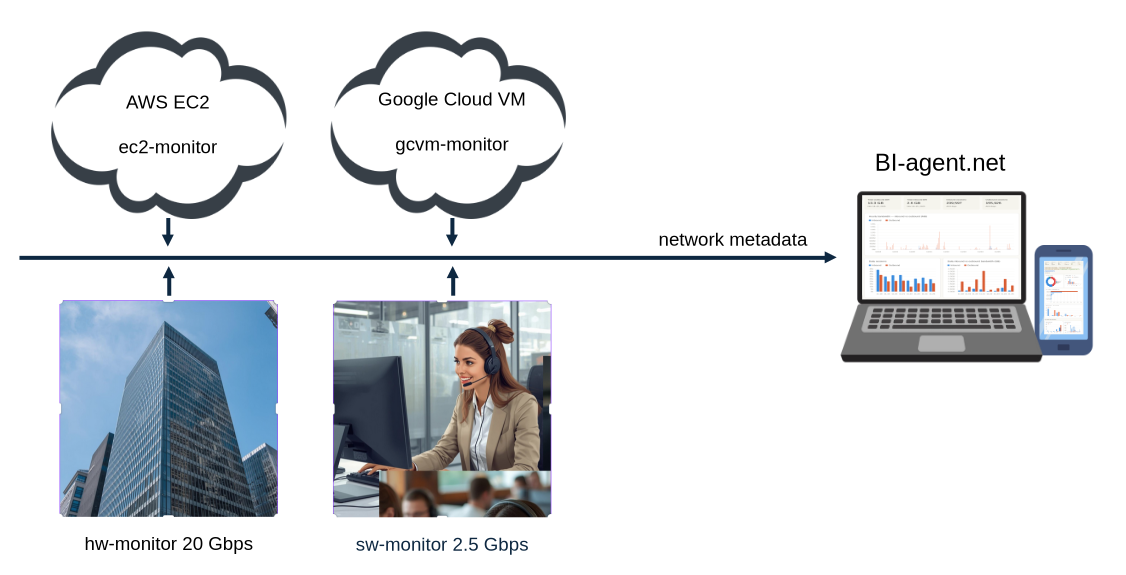
Specifications
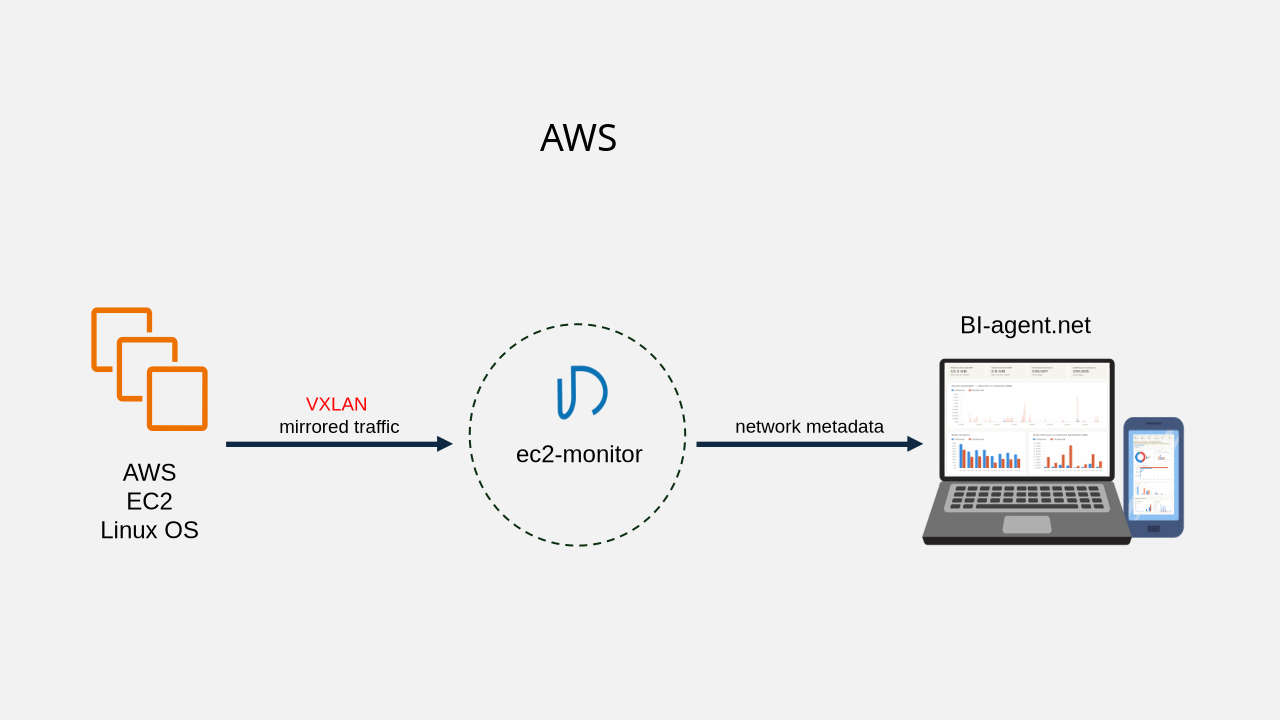
ec2-monitor
Network Traffic mirroring:
source: EC2 Linux kernel
destination: ec2-monitor
aggregated bandwidth: 5 Gbps, up to 16 EC2 per ec2-monitor
EC2 setup: VXLAN script creates 2 tc queues in kernel. Regular
traffic queue has higher priority. Mirrored traffic queue sends
VXLAN packets to the IP address of ec2-monitor in the AWS region chosen by users.
EC2 setup time: approx. 1 minute per EC2
YouTube https://www.youtube.com/watch?v=2QgY2ZER7rE
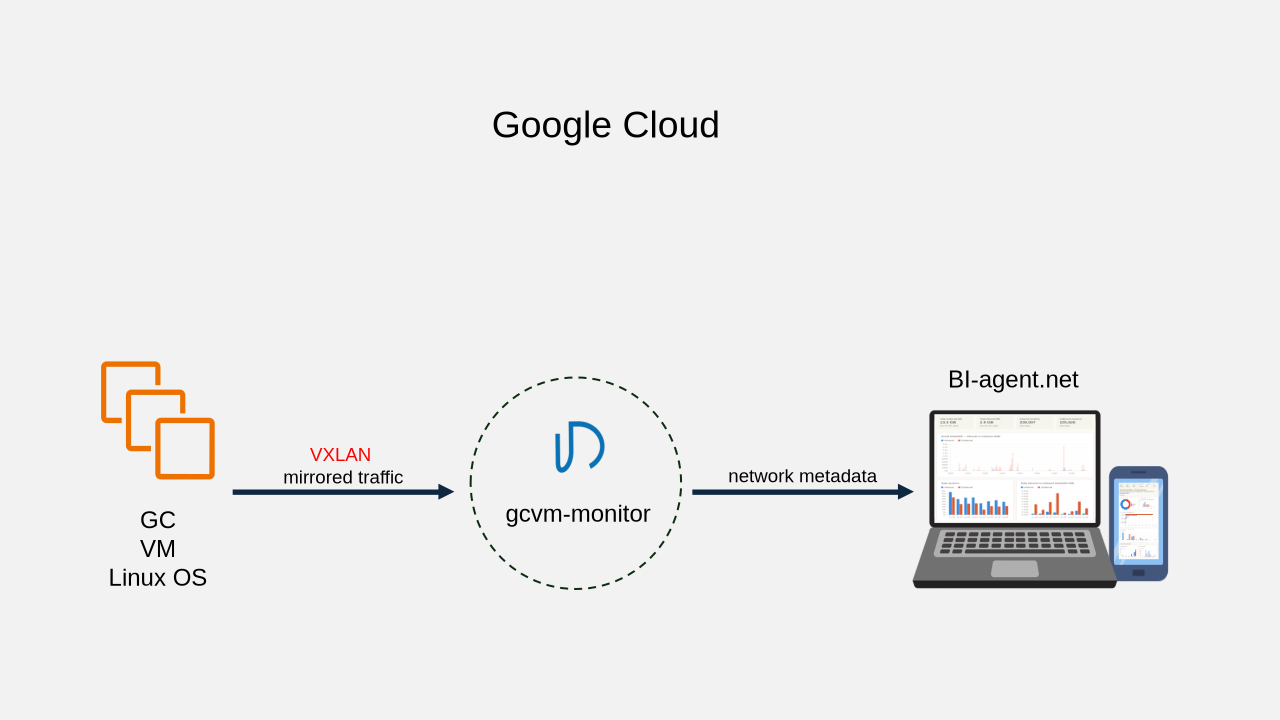
gcvm-monitor
Network Traffic mirroring:
source: VM Linux kernel
destination: gcvm-monitor
aggregated bandwidth: 30 Gbps, max 16 VM per gcvm-monitor
VM Setup: VXLAN script creates 2 tc queues in kernel. Regular
traffic queue has higher priority. Mirrored traffic queue sends
VXLAN packets to the IP address of gcvm-monitor in the GC
region chosen by users.
VM Setup time: approx. 1 minute per VM.
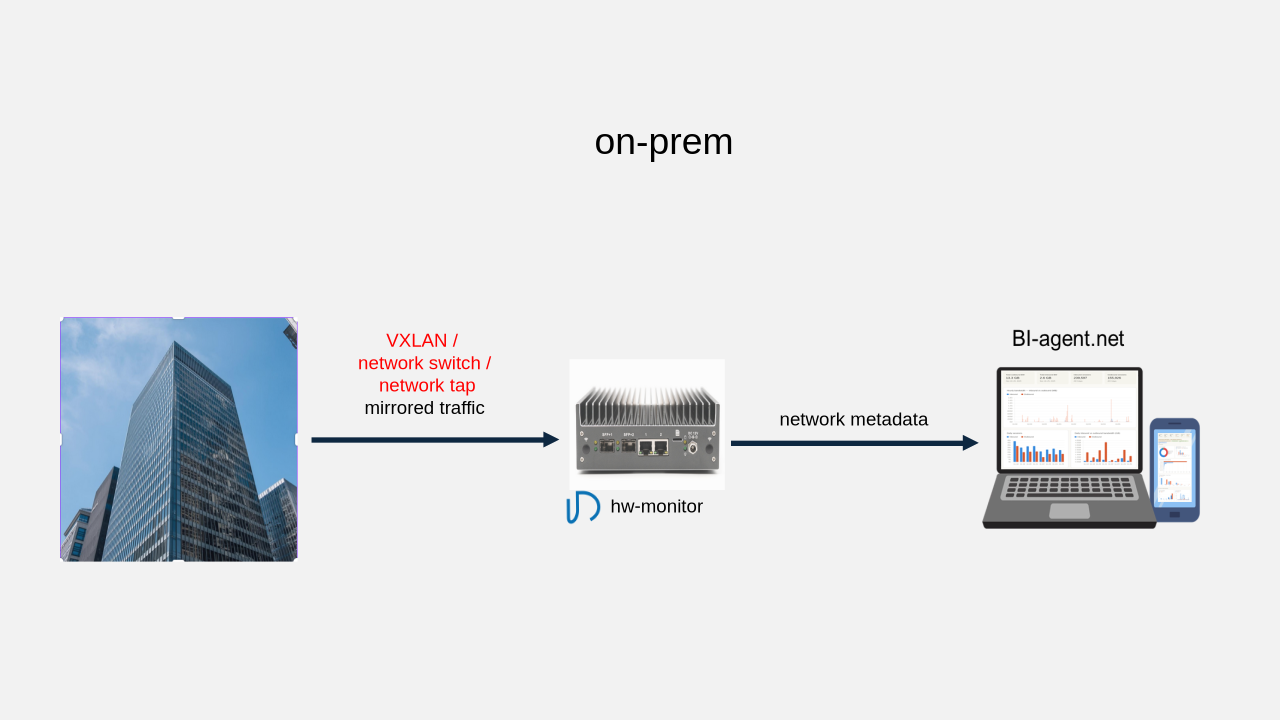
hw-monitor 20 Gbps
Network Traffic mirroring:
source: VXLAN, switch mirror port, network tap
destination: hw-monitor
aggregated bandwidth: 4 x 2.5 Gbps or 2 x 10 Gbps, RJ45
hw-monitor:
IP: dynamic or static IPv4
dimension: 170mm x 152mm x 53mm, weight: 1.57kg
power: max 45W
setup time: approx. 30 minutes
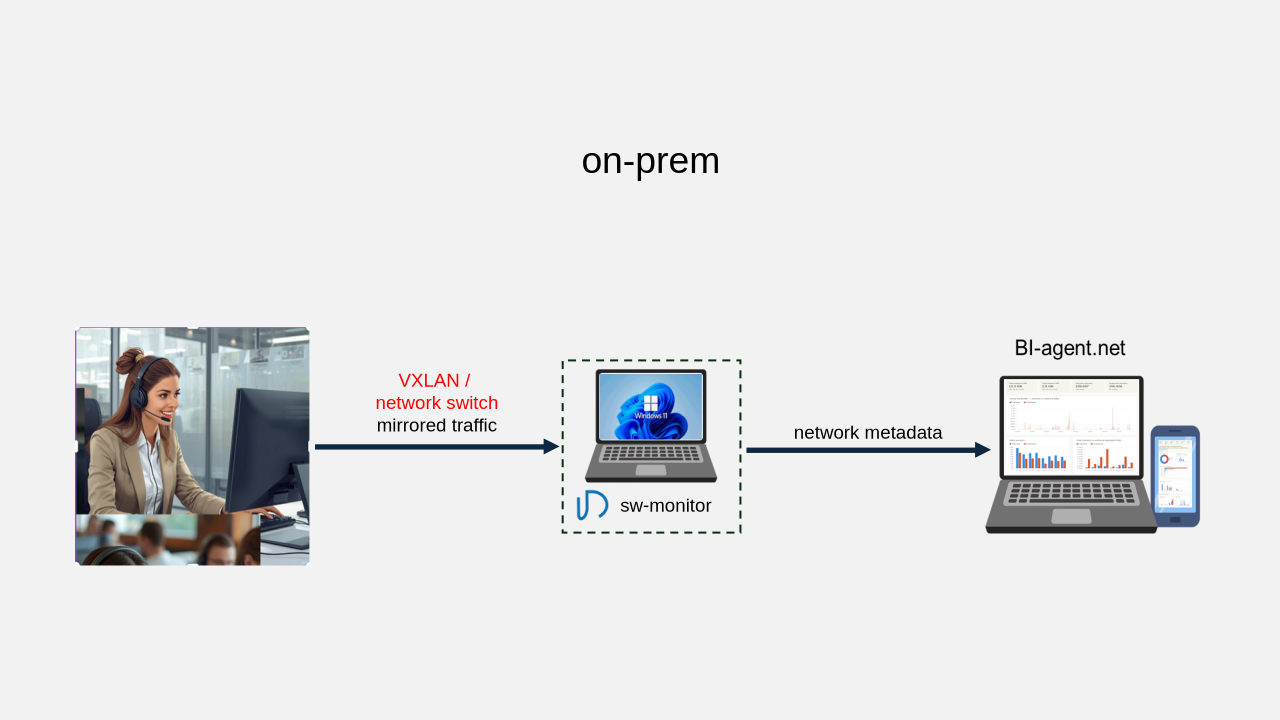
sw-monitor 2.5 Gbps
Network Traffic mirroring:
source: VXLAN, switch mirror port
destination: sw-monitor
aggregated bandwidth: 1 x 2.5 Gpbs
sw-monitor:
host: user’s Windows 11 pro PC or Windows server
host resources: 2 cpu core. 2G ram
BI-win OS: Debian 12 ISO running on Windows Hyper-V
BI-win interface: dedicated intel nic
BI-win IP: dynamic or static IPv4
setup time: approx. 30 minutes
YouTube https://youtu.be/NhABXx1juV0
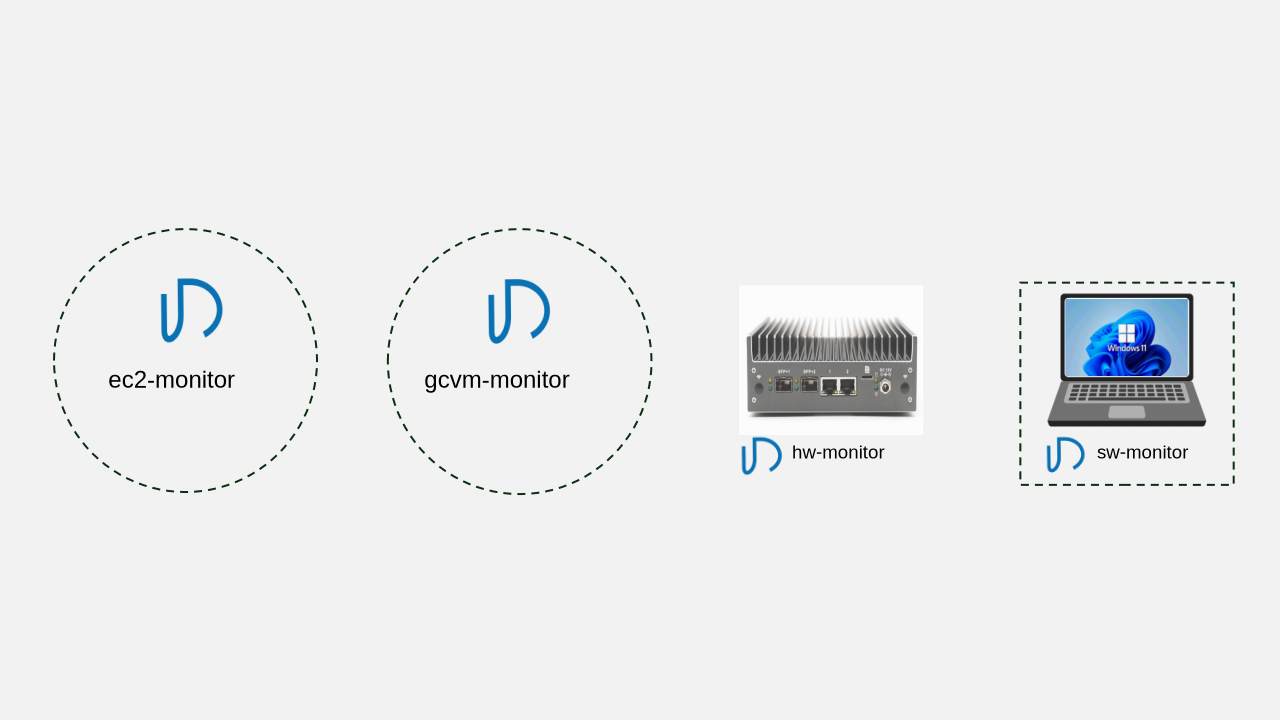
ec2 / gcvm / hw / sw monitor
- track up to 1 million IP sessions simultaneously
- generate metadata per session every 15-min
- track up to 1k SIP sessions simultaneously (port 5060)
- 64k DNS lookup table
multi-dimensional metadata:
- IPv4, IPv6, tcp and udp ports
- bandwidth, speed, packet count, duration, hop/ttl
- tcp QoS: reTx, outOfSeq, sync failure, tcp flags, window size
- media QoS: rtp/srtp packet lost, jitter, latency, MOS, codec code
SIP metadata
- phone number, SIP IP and port , RTP IP and port
- setup, ans, block and release timestamp, sip response code
- media QoS: packet lost, jitter, latency, MOS, codec code
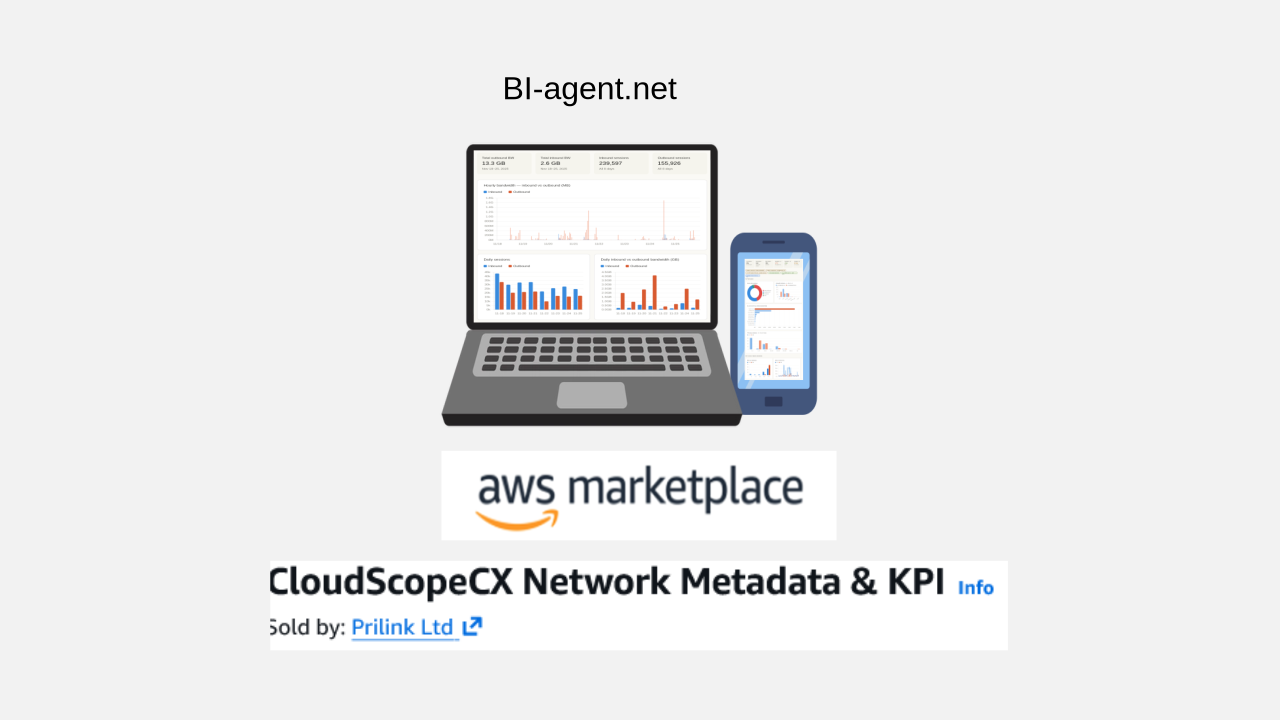
BI-agent.net
- connect up to 1024 monitors in the Cloud and on-prem
- cache network metadata up to 31 days
- visualize endpoint activities using multi-dimensional telemetries
- turn network metadata into actionable insights using AI-tools
- notify real-time network traffic events by SMS and API
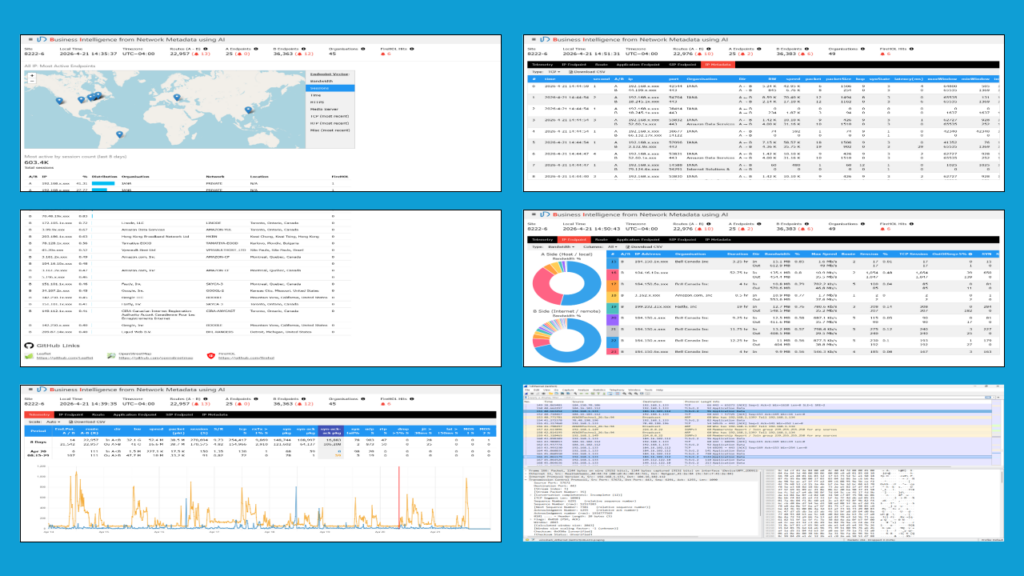
Web-UI Network Traffic Visualization
- interactive 7-day multi-dimensional telemetries
- IP geo-locations and organization names
- most active endpoints by BW, IP-session count, and duration
- malicious IP identified by open source FireHOL
- traffic anomalies identified by 31-day metadata analysis
- multi-dimensional metadata record display
- capture network packet from BI-endpoint to Wireshark
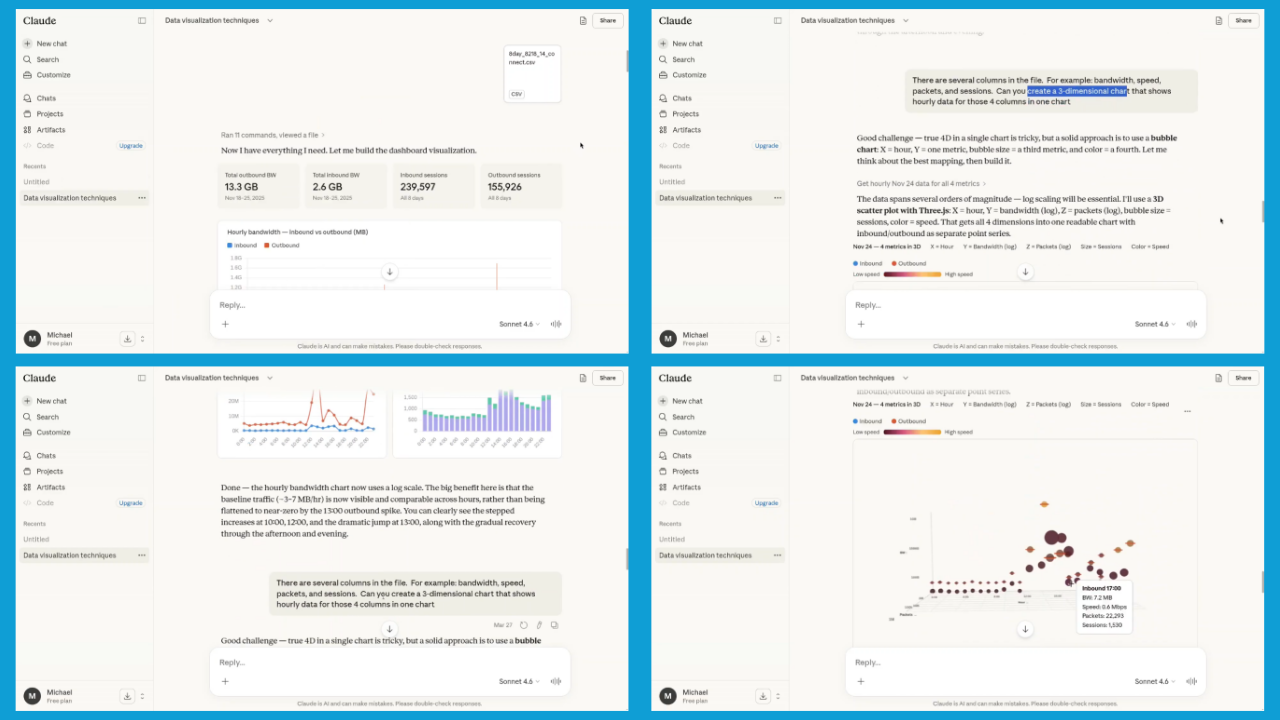
Actionable insights using network metadata and AI
BI-agent provides 15-day network metadata in CSV or other formats for AI transformation. Screenshot at left shows how user interacts with Claude to uses different data visualization techniques to extract business insights.
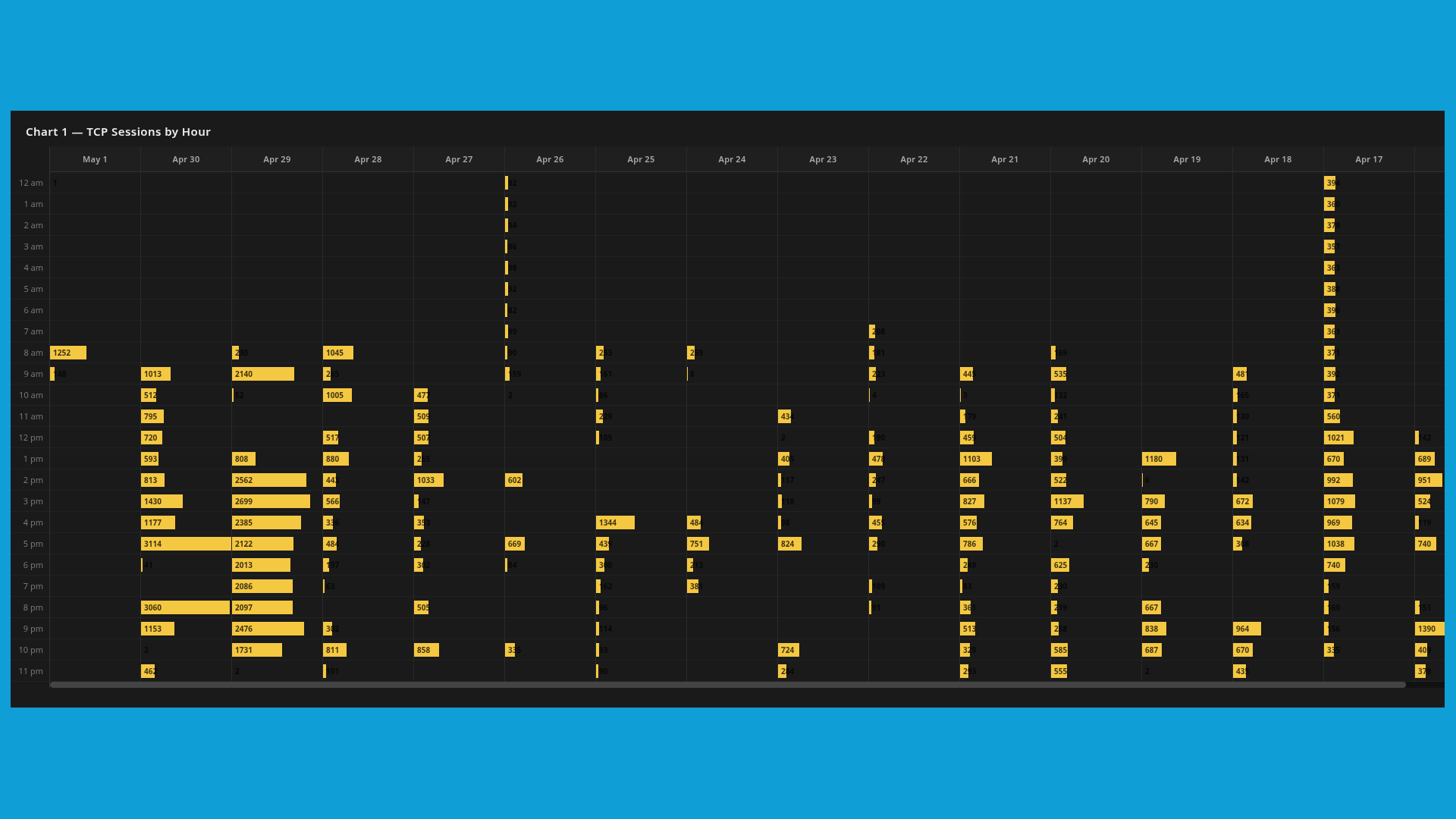
How can network metadata help manage your contact center workforce?
As contact center agents, customers, AI-tools and software applications are network endpoints. BI-agent.net becomes a simple and independent solution to elevate the agility of CC operations:
- Network traffic and agent activities are highly correlated. BI-agent.net transforms agent workload and time reference into unified network metadata that streamline the tasks of WFM scheduling, compliance and quality assurance.
YouTube https://www.youtube.com/watch?v=AYI3cqdyo2k - Network metadata are independent statistics of endpoints. BI-agent.net provides data for CC to pinout the root cause of intermittent connection issues, validate the true voice quality as experienced by agents and more, significantly reducing time spent in problem resolution and vendor collaboration.
YouTube https://www.youtube.com/watch?v=bBOvfA06RY0
Contact: sales@prilink.com 1-289-301-2330